Sprunki Sinner Kiss
Sprunki Sinner Kiss
Obby: Fling Stuff and People
Urban Sniper Escape

FPV War Kamikaze Drone

Opening Cases - Knock Out The Arcana!

Worm out: Brain teaser games

Cars: Modes

Fairyland Merge & Magic
Robby: Escape The Rooms

TipTop: Tricky Challenges
Help Sprunki: Survival Simulator
Red and Blue Stick: fire and water 2

Beamng: Online City

Sprunki Sinner Kiss
Sprunki Sinner Kiss
Obby: Fling Stuff and People
Obby: Fling Stuff and People
Urban Sniper Escape
Urban Sniper Escape
FPV War Kamikaze Drone
FPV War Kamikaze Drone
Opening Cases - Knock Out The Arcana!
Opening Cases - Knock Out The Arcana!
Worm out: Brain teaser games
Worm out: Brain teaser games
Cars: Modes
Cars: Modes
Fairyland Merge & Magic
Fairyland Merge & Magic
Robby: Escape The Rooms
Robby: Escape The Rooms
TipTop: Tricky Challenges
TipTop: Tricky Challenges
Help Sprunki: Survival Simulator
Help Sprunki: Survival Simulator
Red and Blue Stick: fire and water 2
Red and Blue Stick: fire and water 2
Beamng: Online City
Beamng: Online City
Words with hints
Words with hints

Hunter with rifle
Hunter with rifle

A Wonderful Field: capital show
A Wonderful Field: capital show

Minecraft Editor
Minecraft Editor

Fun Clicker: Poppy Playtime 5
Fun Clicker: Poppy Playtime 5
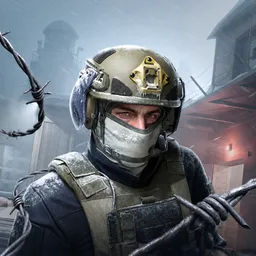
Private Stand 2 Gold: Cheat and Promo Code
Private Stand 2 Gold: Cheat and Promo Code
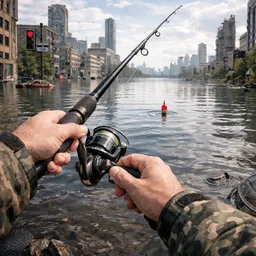
Ultimate Fishing: Reel Catch
Ultimate Fishing: Reel Catch

Friday Night Funkin vs Imposter 2.0
Friday Night Funkin vs Imposter 2.0

Zombie Defense: Building Clearance
Zombie Defense: Building Clearance

Prison Escape Simulator 3D: Dig Out Master Journey
Prison Escape Simulator 3D: Dig Out Master Journey
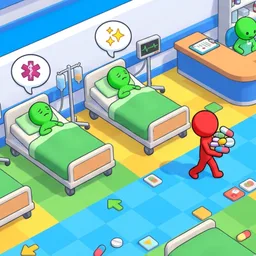
Hospital Simulator 2025
Hospital Simulator 2025
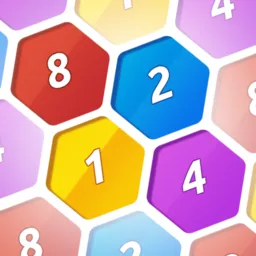
Match 4
Match 4
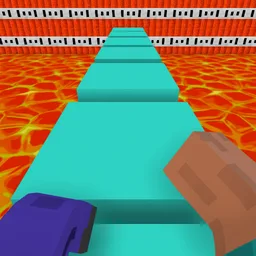
Parkour in the tower of hell
Parkour in the tower of hell
Solitaire Classic Klondike
Solitaire Classic Klondike

Girl's Closet: Match & Clear
Girl's Closet: Match & Clear
Escape from Lava!
Escape from Lava!
Checkers
Checkers

Sprunki Phase 3
Sprunki Phase 3
Playground: Ragdoll War
Playground: Ragdoll War
Attack Hole
Attack Hole
Top Sniper
Top Sniper

DOP Complete the Picture
DOP Complete the Picture

Hexa Sort Puzzle
Hexa Sort Puzzle

Trampoline Basketball 3D
Trampoline Basketball 3D
Block Escape: Brain Training
Block Escape: Brain Training
Playground
Playground
Sprunki Action Playground: Ragdoll Sandbox
Sprunki Action Playground: Ragdoll Sandbox
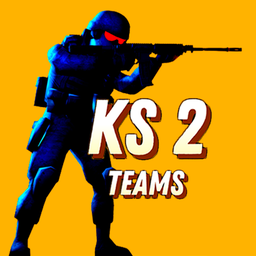
KS 2 Teams is a fast first-person team shooter built around a simple match goal: choose one of two opposing sides, then eliminate the enemy team before they do the same to yours. One side represents terrorists, while the other plays as special forces, giving each round a clear team-versus-team setup from the start.
The action is close to a CS-style browser shooter, but the page stays focused on quick play rather than complicated setup. You move, aim, and shoot through short battles where every elimination helps your progress. Defeated characters can fall with ragdoll-style motion, adding extra impact to the firefights.
After picking a team, your main job is to find opponents and help clear out the other side. The match rewards accurate shooting and quick movement because the leaderboard is based on the number of enemies eliminated. As you keep playing, you can level up and receive new weapons, which gives each fight a stronger sense of forward momentum.
If you enjoy browser shooters with a familiar tactical feel, CS 1 is the closest related Funavio pick. KS 2 Teams keeps the same broad side-against-side energy while adding its own effects, progression, and ragdoll reactions.
The verified keyboard-and-mouse controls are straightforward: use WASD to move, the left mouse button to shoot, and the right mouse button to aim down sight. That keeps the focus on positioning, staying aware of enemy movement, and landing clean shots before the other team can react.
Because the game supports desktop, mobile, and tablet play, the experience is built for quick browser sessions across different devices. Desktop players get the clearest version of the listed controls, while mobile and tablet support makes it easier to jump into a match away from a full keyboard setup.
For another action game with a tactical shooter theme, try Time Shooter 3: SWAT. If the ragdoll-style falls are what stand out to you, Body Drop 3D is also a relevant Funavio link to explore.
Choose a side and eliminate the entire opposing team. Your position on the list is based on enemy eliminations.
Move with WASD, shoot with the left mouse button, and aim down sight with the right mouse button.
Yes. The verified device support includes desktop, mobile, and tablet play.
You level up through play, and leveling up gives access to new weapons.