Sprunki Sinner Kiss
Sprunki Sinner Kiss

Obby: Fling Stuff and People
Urban Sniper Escape

FPV War Kamikaze Drone
Opening Cases - Knock Out The Arcana!

Worm out: Brain teaser games
Cars: Modes

Fairyland Merge & Magic
Robby: Escape The Rooms

TipTop: Tricky Challenges
Help Sprunki: Survival Simulator
Red and Blue Stick: fire and water 2

Beamng: Online City

Sprunki Sinner Kiss
Sprunki Sinner Kiss
Obby: Fling Stuff and People
Obby: Fling Stuff and People
Urban Sniper Escape
Urban Sniper Escape
FPV War Kamikaze Drone
FPV War Kamikaze Drone
Opening Cases - Knock Out The Arcana!
Opening Cases - Knock Out The Arcana!
Worm out: Brain teaser games
Worm out: Brain teaser games
Cars: Modes
Cars: Modes
Fairyland Merge & Magic
Fairyland Merge & Magic
Robby: Escape The Rooms
Robby: Escape The Rooms
TipTop: Tricky Challenges
TipTop: Tricky Challenges
Help Sprunki: Survival Simulator
Help Sprunki: Survival Simulator
Red and Blue Stick: fire and water 2
Red and Blue Stick: fire and water 2
Beamng: Online City
Beamng: Online City
Words with hints
Words with hints

Hunter with rifle
Hunter with rifle

A Wonderful Field: capital show
A Wonderful Field: capital show
Minecraft Editor
Minecraft Editor

Fun Clicker: Poppy Playtime 5
Fun Clicker: Poppy Playtime 5
Private Stand 2 Gold: Cheat and Promo Code
Private Stand 2 Gold: Cheat and Promo Code
Ultimate Fishing: Reel Catch
Ultimate Fishing: Reel Catch

Friday Night Funkin vs Imposter 2.0
Friday Night Funkin vs Imposter 2.0

Zombie Defense: Building Clearance
Zombie Defense: Building Clearance
Prison Escape Simulator 3D: Dig Out Master Journey
Prison Escape Simulator 3D: Dig Out Master Journey
Hospital Simulator 2025
Hospital Simulator 2025
Match 4
Match 4
Parkour in the tower of hell
Parkour in the tower of hell
Solitaire Classic Klondike
Solitaire Classic Klondike

Girl's Closet: Match & Clear
Girl's Closet: Match & Clear

Escape from Lava!
Escape from Lava!
Checkers
Checkers

Sprunki Phase 3
Sprunki Phase 3
Playground: Ragdoll War
Playground: Ragdoll War
Attack Hole
Attack Hole
Top Sniper
Top Sniper
DOP Complete the Picture
DOP Complete the Picture
Hexa Sort Puzzle
Hexa Sort Puzzle

Trampoline Basketball 3D
Trampoline Basketball 3D
Block Escape: Brain Training
Block Escape: Brain Training
Playground
Playground
Sprunki Action Playground: Ragdoll Sandbox
Sprunki Action Playground: Ragdoll Sandbox
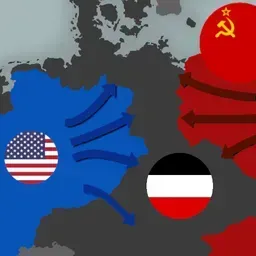
The Battle for Europe is a map-based strategy game about choosing a European country, selecting one of three historical periods, and guiding that nation toward victory through careful development and tactical decisions. Instead of fast arcade reactions, the challenge comes from reading the province map, choosing where to move troops, and deciding when an improvement or temporary buff is worth using.
Each run begins with a broad strategic choice: the country and historical period you want to play. From there, the goal is to turn your starting position into a stronger power through steady expansion and smart timing. The verified game description puts long-term development at the center, so rushing every border is less important than understanding where your troops can move and what each province can support.
If you enjoy browser strategy games built around growth and planning, you may also like Babel Tower for its progression-focused building decisions or Mergest Kingdom for another kingdom-themed game about developing your position over time.
Troop movement is controlled directly on the province map. Click the province you want to move troops from, then release the click on the center square of the destination province. The key rule is that troops can only be sent to provinces you already control or to provinces adjacent to them. That restriction makes positioning important because every advance changes which nearby areas are reachable next.
This movement rule gives The Battle for Europe its tactical shape. A strong move is not only about taking space; it is also about keeping your controlled provinces connected to the next useful target. Before shifting troops, check whether the destination actually opens a better route or simply stretches your position without helping your wider plan.
Double-clicking a province opens its improvement menu. These improvements support the long-term development side of the game and make individual provinces more than simple map spaces. The upgrades button opens a menu with temporary buffs and also pauses the game, giving you a moment to review the map before committing to the next decision.
That pause matters because the best decisions often happen before a big movement order. Use the breathing room to compare borders, inspect the province you want to improve, and decide whether a temporary buff fits the current situation. Players who prefer tactical defense games can also try Plants Vs Zombie Hybrid Story Mod for another Funavio game built around planning under pressure.
The Battle for Europe supports desktop, mobile, and tablet play. Its click-and-release province controls fit the game around direct map decisions, while the improvement and upgrade menus keep the focus on planning rather than complicated keyboard shortcuts. The game is rated 6+ and was developed by DH.
Click the province you want to move from, then release on the center square of a controlled or adjacent destination province.
Yes. The verified device support includes desktop, mobile, and tablet.
The Battle for Europe was developed by DH.
The Upgrades button opens temporary buffs and pauses the game so you can plan before making another move.