Sprunki Sinner Kiss
Sprunki Sinner Kiss

Obby: Fling Stuff and People
Urban Sniper Escape

FPV War Kamikaze Drone

Opening Cases - Knock Out The Arcana!

Worm out: Brain teaser games

Cars: Modes

Fairyland Merge & Magic
Robby: Escape The Rooms

TipTop: Tricky Challenges

Help Sprunki: Survival Simulator
Red and Blue Stick: fire and water 2

Beamng: Online City

Sprunki Sinner Kiss
Sprunki Sinner Kiss
Obby: Fling Stuff and People
Obby: Fling Stuff and People
Urban Sniper Escape
Urban Sniper Escape
FPV War Kamikaze Drone
FPV War Kamikaze Drone
Opening Cases - Knock Out The Arcana!
Opening Cases - Knock Out The Arcana!
Worm out: Brain teaser games
Worm out: Brain teaser games
Cars: Modes
Cars: Modes
Fairyland Merge & Magic
Fairyland Merge & Magic
Robby: Escape The Rooms
Robby: Escape The Rooms
TipTop: Tricky Challenges
TipTop: Tricky Challenges
Help Sprunki: Survival Simulator
Help Sprunki: Survival Simulator
Red and Blue Stick: fire and water 2
Red and Blue Stick: fire and water 2
Beamng: Online City
Beamng: Online City
Words with hints
Words with hints

Hunter with rifle
Hunter with rifle

A Wonderful Field: capital show
A Wonderful Field: capital show

Minecraft Editor
Minecraft Editor

Fun Clicker: Poppy Playtime 5
Fun Clicker: Poppy Playtime 5

Private Stand 2 Gold: Cheat and Promo Code
Private Stand 2 Gold: Cheat and Promo Code
Ultimate Fishing: Reel Catch
Ultimate Fishing: Reel Catch

Friday Night Funkin vs Imposter 2.0
Friday Night Funkin vs Imposter 2.0

Zombie Defense: Building Clearance
Zombie Defense: Building Clearance

Prison Escape Simulator 3D: Dig Out Master Journey
Prison Escape Simulator 3D: Dig Out Master Journey

Hospital Simulator 2025
Hospital Simulator 2025

Match 4
Match 4
Parkour in the tower of hell
Parkour in the tower of hell
Solitaire Classic Klondike
Solitaire Classic Klondike

Girl's Closet: Match & Clear
Girl's Closet: Match & Clear
Escape from Lava!
Escape from Lava!
Checkers
Checkers

Sprunki Phase 3
Sprunki Phase 3

Playground: Ragdoll War
Playground: Ragdoll War

Attack Hole
Attack Hole
Top Sniper
Top Sniper

DOP Complete the Picture
DOP Complete the Picture

Hexa Sort Puzzle
Hexa Sort Puzzle

Trampoline Basketball 3D
Trampoline Basketball 3D
Block Escape: Brain Training
Block Escape: Brain Training
Playground
Playground
Sprunki Action Playground: Ragdoll Sandbox
Sprunki Action Playground: Ragdoll Sandbox
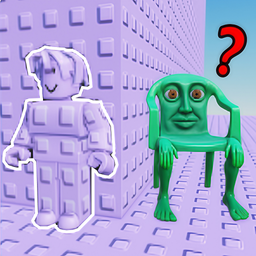
Obby: Camo Tower is a browser arcade obby game about climbing a trap-filled tower without losing your footing. Each run asks you to handle steep platform jumps, sudden hazards, disguise moments, and surprise slaps while you keep pushing upward toward a better place on the leaderboard.
This is a vertical obstacle-course challenge built around timing, camera control, and quick reactions. The main goal is simple: move from platform to platform, avoid the obstacles in your path, and try not to fall as the tower gets more demanding. The camo and disguise theme gives the climb its own identity, while the slap hazards add a sharp reaction test to the usual jump-and-balance rhythm.
Players searching for a fast tower-climb game will find a direct arcade loop here. You are not managing a long story or a complicated upgrade system; the focus stays on movement, positioning, and recovering from tricky jumps before one mistake sends you down.
Start by reading each platform before you jump. The tower uses steep gaps, traps, and sudden interruptions, so rushing blindly is risky. Move into position, rotate the camera until the next landing is clear, then jump with enough space to correct your direction in the air or just after landing.
The leaderboard angle makes every climb feel like a score chase. A clean run matters more than a flashy one, because staying alive gives you more chances to reach higher sections and compare progress with friends. If you enjoy this kind of tower pressure, Obby: Tower of Hell and Climb and Jump - Obby Tower are useful next picks on Funavio.
On desktop, use W, A, S, D to move, press Space to jump, and move the mouse to rotate the camera. The camera is especially important because many mistakes in tower obby games happen when the next platform is hidden by a bad angle.
Before a narrow jump, aim the camera toward the landing instead of looking straight down. For trap sections, keep enough room to stop or sidestep. The controls are simple, but the challenge comes from using them calmly when the tower starts throwing quick hazards at you.
Obby: Camo Tower fits players who like quick arcade retries, platform climbing, and reaction-based obstacle courses. It works on desktop, mobile, and tablet, making it easy to jump into a short run when you want a compact challenge. The verified 12+ age rating makes it better suited for teens and older players.
For more movement-heavy challenges, try Obby Parkour: Tower of Hell if you want another vertical parkour climb, or Obby: Mini-Games if you prefer a broader mix of obby-style activities.
Move through the tower, jump between platforms, avoid traps and slap hazards, use disguise moments carefully, and try to climb higher without falling.
On desktop, move with W, A, S, D, jump with Space, and rotate the camera with mouse movement.
Yes. The verified device support includes desktop, mobile, and tablet play.
Obby: Camo Tower has a verified 12+ age rating.