Sprunki Sinner Kiss
Sprunki Sinner Kiss

Obby: Fling Stuff and People
Urban Sniper Escape

FPV War Kamikaze Drone
Opening Cases - Knock Out The Arcana!

Worm out: Brain teaser games

Cars: Modes

Fairyland Merge & Magic
Robby: Escape The Rooms

TipTop: Tricky Challenges
Help Sprunki: Survival Simulator
Red and Blue Stick: fire and water 2

Beamng: Online City

Sprunki Sinner Kiss
Sprunki Sinner Kiss
Obby: Fling Stuff and People
Obby: Fling Stuff and People
Urban Sniper Escape
Urban Sniper Escape
FPV War Kamikaze Drone
FPV War Kamikaze Drone
Opening Cases - Knock Out The Arcana!
Opening Cases - Knock Out The Arcana!
Worm out: Brain teaser games
Worm out: Brain teaser games
Cars: Modes
Cars: Modes
Fairyland Merge & Magic
Fairyland Merge & Magic
Robby: Escape The Rooms
Robby: Escape The Rooms
TipTop: Tricky Challenges
TipTop: Tricky Challenges
Help Sprunki: Survival Simulator
Help Sprunki: Survival Simulator
Red and Blue Stick: fire and water 2
Red and Blue Stick: fire and water 2
Beamng: Online City
Beamng: Online City
Words with hints
Words with hints

Hunter with rifle
Hunter with rifle

A Wonderful Field: capital show
A Wonderful Field: capital show

Minecraft Editor
Minecraft Editor

Fun Clicker: Poppy Playtime 5
Fun Clicker: Poppy Playtime 5
Private Stand 2 Gold: Cheat and Promo Code
Private Stand 2 Gold: Cheat and Promo Code

Ultimate Fishing: Reel Catch
Ultimate Fishing: Reel Catch

Friday Night Funkin vs Imposter 2.0
Friday Night Funkin vs Imposter 2.0

Zombie Defense: Building Clearance
Zombie Defense: Building Clearance

Prison Escape Simulator 3D: Dig Out Master Journey
Prison Escape Simulator 3D: Dig Out Master Journey
Hospital Simulator 2025
Hospital Simulator 2025
Match 4
Match 4
Parkour in the tower of hell
Parkour in the tower of hell
Solitaire Classic Klondike
Solitaire Classic Klondike

Girl's Closet: Match & Clear
Girl's Closet: Match & Clear
Escape from Lava!
Escape from Lava!
Checkers
Checkers

Sprunki Phase 3
Sprunki Phase 3

Playground: Ragdoll War
Playground: Ragdoll War

Attack Hole
Attack Hole
Top Sniper
Top Sniper

DOP Complete the Picture
DOP Complete the Picture

Hexa Sort Puzzle
Hexa Sort Puzzle

Trampoline Basketball 3D
Trampoline Basketball 3D
Block Escape: Brain Training
Block Escape: Brain Training
Playground
Playground

Sprunki Action Playground: Ragdoll Sandbox
Sprunki Action Playground: Ragdoll Sandbox
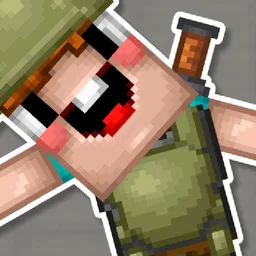
Noob defends the village is a 3D block-world defense game about keeping a village safe through mining, building, crafting, and close-range combat. You play as Noob Miner in a cube-based setting where the important work is practical: dig blocks and mines, build a house from cubes, craft weapons, and stand against zombies before they overrun the village.
The game fits players who like survival-style browser games with familiar block-building actions. It is not only about swinging a sword; the verified loop also asks you to gather useful blocks, place them where they help, prepare weapons, and think about the village as a space you are protecting.
The core objective is built around four connected actions. Digging and mining give you the materials to shape the area. Building with cubes lets you create a house and add structure to the village. Crafting weapons prepares Noob Miner for danger. Defending brings everything together when zombies arrive and the village needs protection.
That mix gives the game a broader rhythm than a simple arena fight. If you rush straight into combat, you miss the building and preparation side. If you only build without staying ready to strike, the zombie threat becomes the problem. A better run comes from balancing movement, gathering, block placement, and weapon use.
Start by moving through the 3D area and paying attention to what can be mined or placed. Blocks matter because they support the construction side of the game, while crafted weapons matter when the village is under attack. The source premise is clear: Noob Miner needs to save the village by using both resources and combat.
If you enjoy the mining side of this setup, Noob Miner 2: Escape from Prison is a useful next Funavio page to explore. For another game centered on protecting against zombies, Trap Craft keeps the defense theme close.
On desktop, use WASD to walk and Shift to run. The left mouse button performs a sword strike, while the right mouse button places a block. These controls match the game's main structure: move through the world, react quickly, attack when needed, and place blocks as part of your building plan.
Because the game also supports mobile and tablet play, it can fit shorter browser sessions away from a keyboard. Desktop controls are especially direct for movement and block placement, while mobile support keeps the game available on phones and tablets where supported by the browser.
The strongest approach is to treat every action as preparation for the next zombie encounter. Do not mine randomly if you already have a clear building need. Do not place blocks without thinking about how they help the village. Do not wait until danger is too close before switching your attention back to combat.
Players who mainly want creative cube placement can try Minecraft Editor for a simpler block-building page. If the zombie-combat side is the main draw, Zombie Defense: Building Clearance offers another Funavio zombie-defense challenge.
Most players looking for Noob defends the village want an online block-building defense game that is quick to start and easy to understand. The appeal comes from combining a familiar cube-world style with a clear rescue objective: gather resources, build something useful, craft weapons, and defeat zombies to save the village.
The verified details make the game a good fit for fans of 3D browser games that mix construction and action. It supports desktop, mobile, and tablet play, carries a 12+ age rating, and keeps its player-facing goal centered on Noob Miner defending the village from undead attackers.
Move through the 3D block world, dig and mine blocks, build with cubes, craft weapons, and fight zombies to protect the village.
Use WASD to walk, Shift to run, left-click for a sword strike, and right-click to place a block.
Yes. The verified device support includes desktop, mobile, and tablet play.
Noob defends the village was developed by Final Tale.