Sprunki Sinner Kiss
Sprunki Sinner Kiss
Obby: Fling Stuff and People
Urban Sniper Escape

FPV War Kamikaze Drone
Opening Cases - Knock Out The Arcana!

Worm out: Brain teaser games

Cars: Modes

Fairyland Merge & Magic
Robby: Escape The Rooms

TipTop: Tricky Challenges
Help Sprunki: Survival Simulator
Red and Blue Stick: fire and water 2

Beamng: Online City

Sprunki Sinner Kiss
Sprunki Sinner Kiss
Obby: Fling Stuff and People
Obby: Fling Stuff and People
Urban Sniper Escape
Urban Sniper Escape
FPV War Kamikaze Drone
FPV War Kamikaze Drone
Opening Cases - Knock Out The Arcana!
Opening Cases - Knock Out The Arcana!
Worm out: Brain teaser games
Worm out: Brain teaser games
Cars: Modes
Cars: Modes
Fairyland Merge & Magic
Fairyland Merge & Magic
Robby: Escape The Rooms
Robby: Escape The Rooms
TipTop: Tricky Challenges
TipTop: Tricky Challenges
Help Sprunki: Survival Simulator
Help Sprunki: Survival Simulator
Red and Blue Stick: fire and water 2
Red and Blue Stick: fire and water 2
Beamng: Online City
Beamng: Online City
Words with hints
Words with hints

Hunter with rifle
Hunter with rifle

A Wonderful Field: capital show
A Wonderful Field: capital show
Minecraft Editor
Minecraft Editor

Fun Clicker: Poppy Playtime 5
Fun Clicker: Poppy Playtime 5

Private Stand 2 Gold: Cheat and Promo Code
Private Stand 2 Gold: Cheat and Promo Code

Ultimate Fishing: Reel Catch
Ultimate Fishing: Reel Catch

Friday Night Funkin vs Imposter 2.0
Friday Night Funkin vs Imposter 2.0

Zombie Defense: Building Clearance
Zombie Defense: Building Clearance

Prison Escape Simulator 3D: Dig Out Master Journey
Prison Escape Simulator 3D: Dig Out Master Journey
Hospital Simulator 2025
Hospital Simulator 2025
Match 4
Match 4
Parkour in the tower of hell
Parkour in the tower of hell
Solitaire Classic Klondike
Solitaire Classic Klondike

Girl's Closet: Match & Clear
Girl's Closet: Match & Clear
Escape from Lava!
Escape from Lava!
Checkers
Checkers

Sprunki Phase 3
Sprunki Phase 3
Playground: Ragdoll War
Playground: Ragdoll War

Attack Hole
Attack Hole

Top Sniper
Top Sniper
DOP Complete the Picture
DOP Complete the Picture
Hexa Sort Puzzle
Hexa Sort Puzzle

Trampoline Basketball 3D
Trampoline Basketball 3D
Block Escape: Brain Training
Block Escape: Brain Training

Playground
Playground
Sprunki Action Playground: Ragdoll Sandbox
Sprunki Action Playground: Ragdoll Sandbox
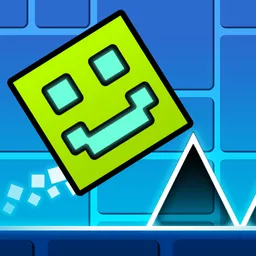
Geometry Cube 2: Challenge is a timing-based cube platform game where every jump matters. You guide the cube through obstacle-filled levels, collect coins when you can, and try to reach the finish without losing your rhythm. The idea is easy to understand, but the later stages ask for sharper reactions, cleaner timing, and a steady feel for when to tap, hold, or stop jumping.
The game is built around a direct obstacle-course loop: watch the path, jump at the right moment, and keep moving toward the end of the level. Obstacles are the main threat, coins give you a reason to take riskier routes, and the rhythmic music helps set the pace for each attempt. Because the cube keeps challenging your timing, small mistakes are easy to spot and improve on during the next run.
There are 20 levels, ranging from easier introductions to extremely difficult stages. That progression gives the game a clear skill curve: early levels help you learn the jump feel, while tougher levels demand more accurate reactions and better control over repeated jumps.
Your goal is to avoid obstacles, collect coins, and reach the end of the level. On a computer, click the left mouse button or press Space to jump. Holding the button or Space keeps the cube jumping continuously, while releasing it stops the jump chain. On mobile, a tap makes the cube jump and holding your finger down keeps the jumps going.
Practice mode is useful when a level starts to feel too demanding. On keyboard, Q adds a checkpoint in practice mode and E removes the last checkpoint, so you can focus on difficult sections instead of replaying the entire level from the start. Esc or P pauses the game when you need to break the rhythm for a moment.
Coins add an extra layer to the run because reaching the finish is not the only thing to think about. A safer jump may keep the run alive, while a more ambitious path may help you collect more coins. That push and pull fits the game well: it rewards clean movement without forcing every player to chase perfect routes immediately.
The game also includes 57 skins and cube appearance customization. That makes repeated attempts feel a little more personal, especially if you enjoy unlocking or switching looks while working through harder levels.
If you like obstacle games that test reactions, Tunnel Road is another fast Funavio pick built around reading the path ahead. For a platform challenge with traps and repeated attempts, try Die Devil: Troll Game Again after your cube runs.
Guide the cube through each level, avoid obstacles, collect coins, and reach the finish.
Use left click or Space on computer. On mobile, tap to jump and hold to keep jumping.
Geometry Cube 2: Challenge has 20 levels, ranging from easy to extremely difficult.
Yes. Practice mode lets you work on difficult parts, with keyboard checkpoints available through Q and E.
Yes. The verified device support includes desktop, mobile, and tablet play.