
Sprunki Sinner Kiss
Sprunki Sinner Kiss

Obby: Fling Stuff and People

Urban Sniper Escape

FPV War Kamikaze Drone

Opening Cases - Knock Out The Arcana!

Worm out: Brain teaser games

Cars: Modes

Fairyland Merge & Magic
Robby: Escape The Rooms

TipTop: Tricky Challenges
Help Sprunki: Survival Simulator
Red and Blue Stick: fire and water 2

Beamng: Online City

Sprunki Sinner Kiss
Sprunki Sinner Kiss
Obby: Fling Stuff and People
Obby: Fling Stuff and People
Urban Sniper Escape
Urban Sniper Escape
FPV War Kamikaze Drone
FPV War Kamikaze Drone
Opening Cases - Knock Out The Arcana!
Opening Cases - Knock Out The Arcana!
Worm out: Brain teaser games
Worm out: Brain teaser games
Cars: Modes
Cars: Modes
Fairyland Merge & Magic
Fairyland Merge & Magic
Robby: Escape The Rooms
Robby: Escape The Rooms
TipTop: Tricky Challenges
TipTop: Tricky Challenges
Help Sprunki: Survival Simulator
Help Sprunki: Survival Simulator
Red and Blue Stick: fire and water 2
Red and Blue Stick: fire and water 2
Beamng: Online City
Beamng: Online City
Words with hints
Words with hints

Hunter with rifle
Hunter with rifle

A Wonderful Field: capital show
A Wonderful Field: capital show

Minecraft Editor
Minecraft Editor

Fun Clicker: Poppy Playtime 5
Fun Clicker: Poppy Playtime 5

Private Stand 2 Gold: Cheat and Promo Code
Private Stand 2 Gold: Cheat and Promo Code

Ultimate Fishing: Reel Catch
Ultimate Fishing: Reel Catch

Friday Night Funkin vs Imposter 2.0
Friday Night Funkin vs Imposter 2.0

Zombie Defense: Building Clearance
Zombie Defense: Building Clearance

Prison Escape Simulator 3D: Dig Out Master Journey
Prison Escape Simulator 3D: Dig Out Master Journey

Hospital Simulator 2025
Hospital Simulator 2025

Match 4
Match 4
Parkour in the tower of hell
Parkour in the tower of hell
Solitaire Classic Klondike
Solitaire Classic Klondike

Girl's Closet: Match & Clear
Girl's Closet: Match & Clear

Escape from Lava!
Escape from Lava!
Checkers
Checkers

Sprunki Phase 3
Sprunki Phase 3

Playground: Ragdoll War
Playground: Ragdoll War

Attack Hole
Attack Hole

Top Sniper
Top Sniper

DOP Complete the Picture
DOP Complete the Picture

Hexa Sort Puzzle
Hexa Sort Puzzle

Trampoline Basketball 3D
Trampoline Basketball 3D
Block Escape: Brain Training
Block Escape: Brain Training

Playground
Playground
Sprunki Action Playground: Ragdoll Sandbox
Sprunki Action Playground: Ragdoll Sandbox
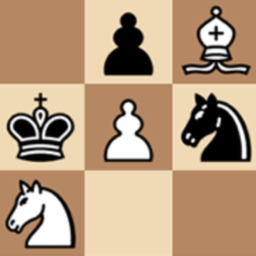
Chess with a computer is a clean browser version of classic chess built around two simple ways to play: challenge the computer or share the board with another player. The game follows standard international chess rules, so every move depends on familiar piece movement, careful planning, and reading the position before you commit.
The main appeal is the computer mode. It includes five difficulty levels, which makes it useful whether you are learning basic tactics or want a tougher match that punishes loose moves. If you prefer another strategy board challenge after this game, Checkers vs Computer is a natural next stop, while Backgammon Narde online offers a different kind of turn-based board play.
Computer mode lets you choose the level before the game begins. Starting on an easier level is the most practical way to warm up, especially if you are still building confidence with openings, captures, check, and checkmate patterns. As you win more often, raise the difficulty and test whether your plans still hold up against stronger replies.
The five difficulty levels also make each session feel focused. You can play a relaxed match, practice avoiding one-move mistakes, or move up to a harder setting where every undefended piece matters. The game records wins and losses separately by difficulty level, so you can track where you are improving instead of treating every match the same.
Besides computer play, Chess with a computer includes a mode for two players. This is best for local turn-taking: choose the two-player option, play legal moves in sequence, and let the board handle the match while both players focus on the position.
That mode keeps the page useful even when you do not want an AI opponent. It works well for casual matches, teaching the rules to a newer player, or replaying a position with someone nearby. For another simple board-game matchup, Domino duel keeps the same quick, head-to-head spirit in a different format.
Because the rules are classic chess, improvement comes from the fundamentals: protect your pieces, fight for useful squares, bring more pieces into play, and check whether the opponent has a threat before you make your move. On easier computer levels, look for hanging pieces and simple checkmate chances. On harder levels, avoid rushing attacks before your position is ready.
The background can be switched between black and white, and sound effects can be enabled or disabled. These options do not change the rules, but they help you set up the board in a way that feels comfortable for a longer game.
Chess with a computer focuses on the essentials: standard pieces, standard rules, five computer levels, local two-player mode, and clear statistics. There are no extra modes to learn before playing, which makes it easy to start a match, practice one idea, and come back later to try a higher difficulty.
If you want a straightforward chess page that works on desktop, mobile, and tablet, this version gives you the core experience without unnecessary clutter. For a related classic board experience with simpler movement rules, you can also try Checkers with PC.
Yes. The game includes a computer mode with five difficulty levels.
Yes. You can choose a two-player mode and take turns against another player on the same board.
The computer mode has five difficulty levels, from easier play to harder challenges.
Yes. The pieces are standard and follow international chess rules.
Yes. The game includes statistics for wins and losses, divided by difficulty level.
Yes. The verified device support includes desktop, mobile, and tablet play.