Sprunki Sinner Kiss
Sprunki Sinner Kiss

Obby: Fling Stuff and People
Urban Sniper Escape

FPV War Kamikaze Drone
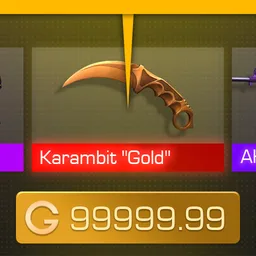
Opening Cases - Knock Out The Arcana!

Worm out: Brain teaser games

Cars: Modes

Fairyland Merge & Magic
Robby: Escape The Rooms

TipTop: Tricky Challenges
Help Sprunki: Survival Simulator
Red and Blue Stick: fire and water 2

Beamng: Online City

Sprunki Sinner Kiss
Sprunki Sinner Kiss
Obby: Fling Stuff and People
Obby: Fling Stuff and People
Urban Sniper Escape
Urban Sniper Escape
FPV War Kamikaze Drone
FPV War Kamikaze Drone
Opening Cases - Knock Out The Arcana!
Opening Cases - Knock Out The Arcana!
Worm out: Brain teaser games
Worm out: Brain teaser games
Cars: Modes
Cars: Modes
Fairyland Merge & Magic
Fairyland Merge & Magic
Robby: Escape The Rooms
Robby: Escape The Rooms
TipTop: Tricky Challenges
TipTop: Tricky Challenges
Help Sprunki: Survival Simulator
Help Sprunki: Survival Simulator
Red and Blue Stick: fire and water 2
Red and Blue Stick: fire and water 2
Beamng: Online City
Beamng: Online City
Words with hints
Words with hints

Hunter with rifle
Hunter with rifle

A Wonderful Field: capital show
A Wonderful Field: capital show

Minecraft Editor
Minecraft Editor

Fun Clicker: Poppy Playtime 5
Fun Clicker: Poppy Playtime 5

Private Stand 2 Gold: Cheat and Promo Code
Private Stand 2 Gold: Cheat and Promo Code

Ultimate Fishing: Reel Catch
Ultimate Fishing: Reel Catch

Friday Night Funkin vs Imposter 2.0
Friday Night Funkin vs Imposter 2.0

Zombie Defense: Building Clearance
Zombie Defense: Building Clearance

Prison Escape Simulator 3D: Dig Out Master Journey
Prison Escape Simulator 3D: Dig Out Master Journey
Hospital Simulator 2025
Hospital Simulator 2025
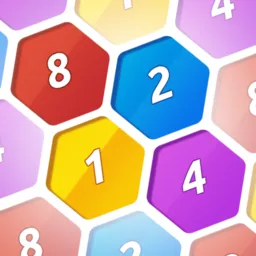
Match 4
Match 4
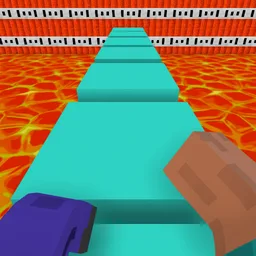
Parkour in the tower of hell
Parkour in the tower of hell
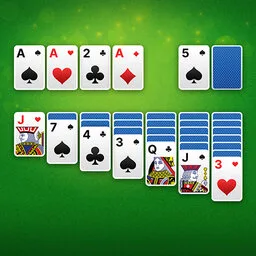
Solitaire Classic Klondike
Solitaire Classic Klondike

Girl's Closet: Match & Clear
Girl's Closet: Match & Clear

Escape from Lava!
Escape from Lava!
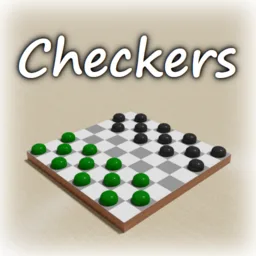
Checkers
Checkers

Sprunki Phase 3
Sprunki Phase 3
Playground: Ragdoll War
Playground: Ragdoll War
Attack Hole
Attack Hole

Top Sniper
Top Sniper

DOP Complete the Picture
DOP Complete the Picture
Hexa Sort Puzzle
Hexa Sort Puzzle

Trampoline Basketball 3D
Trampoline Basketball 3D
Block Escape: Brain Training
Block Escape: Brain Training

Playground
Playground
Sprunki Action Playground: Ragdoll Sandbox
Sprunki Action Playground: Ragdoll Sandbox

Case Simulator Stand Box 2 - 3D is a free browser case-opening simulator built around skins, stickers, charms, boxes, and full 3D item inspection. The main loop is simple: choose a case or pack, open it, add the reward to your collection, then decide whether to keep it, inspect it, sell it, trade for something else, or use crafting to upgrade your stash.
The game is especially useful for players who enjoy the suspense of virtual item reveals without real-money pressure. It is a fan-made entertainment simulator, so the items you collect stay inside this game and do not transfer to the original title. If you want more simulator-style games after building your inventory, you can also try Brawl Simulator 3D or browse a different 3D role-based setup in Traffic Cop Simulator 3D.
Each run starts by picking a container. The verified source includes cases, boxes, sticker packs, and charm packs, so the rewards are not limited to one item type. Openings add new skins, stickers, and charms to your collection, giving you more pieces to inspect, organize, and improve over time.
Progress comes from managing that collection well. Duplicate or unwanted items can be sold through the built-in marketplace, while filters and search help you look for specific skins and charms. Crafting gives you another way to turn collected items into something more valuable for your inventory.
The 3D viewer is one of the core reasons to play. Instead of treating skins as flat icons, the game lets you inspect items from different angles, making each new unlock feel more tangible. This matters most when you are comparing skins, checking details, or deciding what deserves a place in your collection.
The marketplace adds a second layer to the luck-based opening loop. You can sell unwanted items, buy new skins and charms, and use filtering tools when you are hunting for a particular piece. The source also verifies weapon customization with stickers and charms, so collecting is not only about rarity; it is also about shaping items into a style you like.
Case Simulator Stand Box 2 - 3D includes mini-games and a clicker for earning gold. That gold supports more openings, which keeps the loop moving even when you are not using the marketplace. The best approach is to rotate between opening containers, checking your collection, selling extras, and using upgrades or crafting when they make sense.
Because the game is free and does not use pay-to-win mechanics or microtransactions, its progression is centered on in-game activity rather than purchases. Regular updates and new collections are also listed in the verified source, so returning players may find new items to chase over time.
The game supports desktop, mobile, and tablet play. Use clicks or taps to choose cases, boxes, packs, inventory options, and marketplace actions. In inspection mode, drag or swipe to rotate a 3D item, and use scrolling or pinch gestures to zoom where supported by the game interface.
For more 3D game variety on Funavio, MMA fighting 3D is another confirmed option with a very different action focus. Case Simulator Stand Box 2 - 3D is better when you want collection management, item reveals, and skin inspection instead of direct combat.
This is a fan-made simulator for entertainment purposes only. It is not an official product, it is not affiliated with the original title, and collected items cannot be withdrawn or used outside this game. That limitation is important, but it also keeps the experience focused on low-pressure collecting, trading, crafting, and opening cases for fun.
No. The game is a fan-made simulator, and collected items stay inside this game only.
Yes. The verified source describes it as free, with no pay-to-win mechanics or microtransactions.
Yes. The game supports desktop, mobile, and tablet play through the browser.
You can earn gold through the included mini-games and clicker, then use it for more case openings.